Native macOS app

Proof

Fast photo culling for Mac.

Proof helps photographers move through large shoots with less friction. Browse folders in place, flag keepers, reject misses, compare similar frames, and export finished copies without touching your originals.

Native macOS app. Local catalogs. Non-destructive workflow.

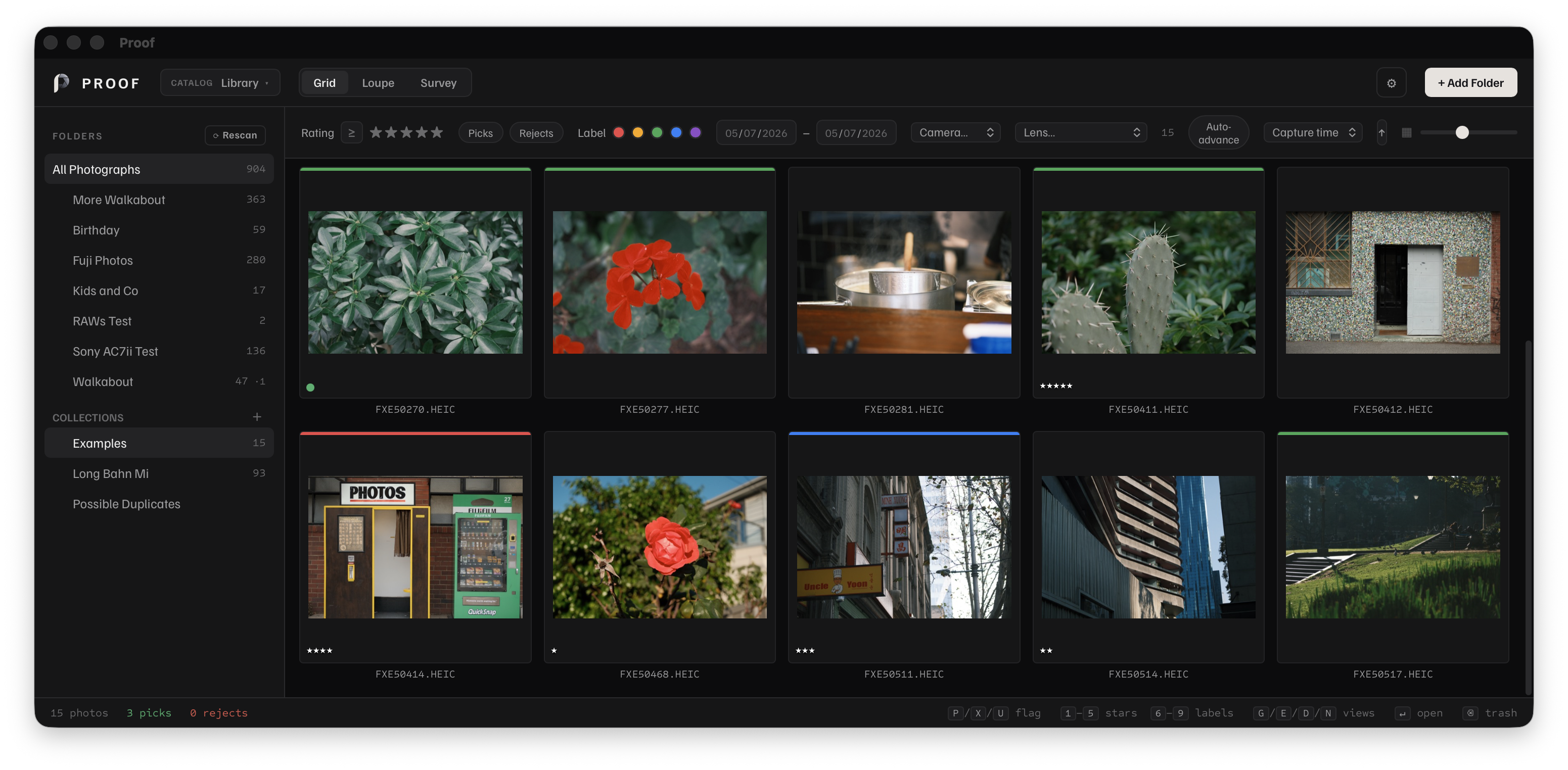
Grid screenshot coming soon.

This placeholder marks the future app grid image for the homepage hero.

Everything you need to cull a shoot

Before the edit comes the decision. Proof gives you a focused space to review, rate, compare, and organize a shoot quickly, without burying the workflow inside a heavy all-in-one editor.

Browse folders in place

Add photo folders to a catalog without moving them. Proof references files where they already live and keeps your work in a local catalog.

Cull with keyboard speed

Use pick, reject, star ratings, and color labels across single photos or whole selections. Auto-advance keeps first-pass culling moving.

Compare near-duplicates

Survey mode shows selected photos side by side, with synced zoom and pan for checking focus, expressions, and small differences.

Inspect in Loupe

Open a clean single-photo view with fit, 100%, and up to 400% zoom, plus magnifier and hand-pan tools.

Organize without losing control

Use folders, subfolders, collections, keywords, camera and lens filters, and duplicate detection while keeping your originals on disk.

Export when ready

Export JPEG, PNG, TIFF, or WebP copies with your work baked in. Proof never modifies the original file.

See it in action

Replace these placeholders with the real app captures when the assets are ready.

Grid screenshot placeholder
Grid view placeholder - future folder sidebar and selection capture
Survey screenshot placeholder
Survey view placeholder - future side-by-side comparison capture
Loupe screenshot placeholder
Loupe view placeholder - future single-image inspection capture

Develop tools are being refined for a future release.

The current release focuses on fast culling and local library work. The editing surface is being shaped as a calmer, non-destructive place for future photo adjustments without changing the core workflow.

What is being refined

  • Exposure and color controls for future edits
  • Crop and straighten tools
  • Local, non-destructive editing workflow

What stays true

Proof keeps the same quiet, local-first approach: files stay on disk, the catalog stays local, and the app stays focused on photographers who want a fast review pass before deeper work.

A workflow that stays out of the way

Proof fits into the way photographers already work: files on disk, folders by shoot, quick passes for picks and rejects, deeper inspection for close calls, then export or hand off to the editor you already use.

01

Add a folder

Choose a folder of photos. Proof indexes metadata, creates thumbnails, and keeps the originals in place.

02

Cull fast

Navigate with the keyboard. Press `P` for picks, `X` for rejects, `0-5` for ratings, and `6-9` for color labels.

03

Compare and refine

Use Survey to compare selected frames or Loupe to inspect one image at a time.

04

Organize selects

Move files to folders, create subfolders, add photos to collections, set keywords, and filter by metadata.

05

Export or hand off

Export finished copies, reveal originals in Finder, open files in an external editor, or drag files out to Finder and upload targets.

Built for photographers with real shoots

Proof is aimed at people who need to review a lot of frames quickly, keep the files local, and move on without a heavy cloud workflow.

Wedding and event photographers

Move quickly through thousands of frames, compare bursts, mark selects, and separate rejects before deeper editing.

High-volume hobbyists and travel photographers

Work through larger local folders without importing everything into a heavy cloud library.

Local-first photographers

Keep files on your disks, not inside someone else's cloud library. Proof stores catalog data locally and leaves originals alone.

Photographers who already have an editor

Use Proof to browse, rate, compare, organize, and hand off selects to external editors when the creative edit begins.

Private by design

Proof is built around local files and local catalogs. It does not need an account to index, cull, compare, or export your photos. Your originals stay on your Mac or external drives, and your catalog stores your work locally.

What stays local

  • Original files on disk
  • Ratings, flags, labels, keywords, and collections
  • Catalog data and cached thumbnails

Need help?

Use the support form to send a question, bug report, or privacy note. The reply path stays in the app support flow instead of exposing an email address on the public site.

Open support form

Download for Mac

Gumroad download coming soon. The notarized DMG link will replace the placeholder below when the release is ready.

Notarized DMG

Gumroad download coming soon

Replace the placeholder link with the final Gumroad URL for the notarized disk image.

Gumroad download coming soon